 ught Microsoft Publisher the other day and a student, who uses a Mac at home, asked if there was a version out there he could use. It also had to be free he said. I guess I should take a second and mention what Publisher is for. It is a program that allows you to design and printout all sorts of paper goods like business cards, flyers, signs, brochure, etc. I did a lot of research on this topic and I did find one replacement called Scribus. But there are issues. First it seems slower than dirt. Second it is missing a lot of the templates that I go to Publisher for. It does have a few but mainly you are on your own. But what about the intricate brochures you designed in publisher a while back? Sorry, from what I read even Publisher has issues opening older documents made in an older version of Publisher. Also I read a lot of printer companies complaining about people who use Publisher because it has problems when trying to print professionally. So what are your choices? Unfortunately it looks like you will have to buy something like Adobe Indesign or QuarkXPress. But before you run out the door to buy you should know they are not cheap, upwards of $200 to $600. I had no luck with my usual places, Amazon and eBay. The only thing I can say is if you really need them you will have to pay a hefty price or have print shop take care of the project. I wish I had better news, sorry.

Showing posts with label Microsoft. Show all posts
Showing posts with label Microsoft. Show all posts
Tuesday, February 15, 2011
"The printing press is either the greatest blessing or the greatest curse of modern times, sometimes one forgets which it is." E. F. Schumacher
I ta ught Microsoft Publisher the other day and a student, who uses a Mac at home, asked if there was a version out there he could use. It also had to be free he said. I guess I should take a second and mention what Publisher is for. It is a program that allows you to design and printout all sorts of paper goods like business cards, flyers, signs, brochure, etc. I did a lot of research on this topic and I did find one replacement called Scribus. But there are issues. First it seems slower than dirt. Second it is missing a lot of the templates that I go to Publisher for. It does have a few but mainly you are on your own. But what about the intricate brochures you designed in publisher a while back? Sorry, from what I read even Publisher has issues opening older documents made in an older version of Publisher. Also I read a lot of printer companies complaining about people who use Publisher because it has problems when trying to print professionally. So what are your choices? Unfortunately it looks like you will have to buy something like Adobe Indesign or QuarkXPress. But before you run out the door to buy you should know they are not cheap, upwards of $200 to $600. I had no luck with my usual places, Amazon and eBay. The only thing I can say is if you really need them you will have to pay a hefty price or have print shop take care of the project. I wish I had better news, sorry.
ught Microsoft Publisher the other day and a student, who uses a Mac at home, asked if there was a version out there he could use. It also had to be free he said. I guess I should take a second and mention what Publisher is for. It is a program that allows you to design and printout all sorts of paper goods like business cards, flyers, signs, brochure, etc. I did a lot of research on this topic and I did find one replacement called Scribus. But there are issues. First it seems slower than dirt. Second it is missing a lot of the templates that I go to Publisher for. It does have a few but mainly you are on your own. But what about the intricate brochures you designed in publisher a while back? Sorry, from what I read even Publisher has issues opening older documents made in an older version of Publisher. Also I read a lot of printer companies complaining about people who use Publisher because it has problems when trying to print professionally. So what are your choices? Unfortunately it looks like you will have to buy something like Adobe Indesign or QuarkXPress. But before you run out the door to buy you should know they are not cheap, upwards of $200 to $600. I had no luck with my usual places, Amazon and eBay. The only thing I can say is if you really need them you will have to pay a hefty price or have print shop take care of the project. I wish I had better news, sorry.


Wednesday, December 29, 2010
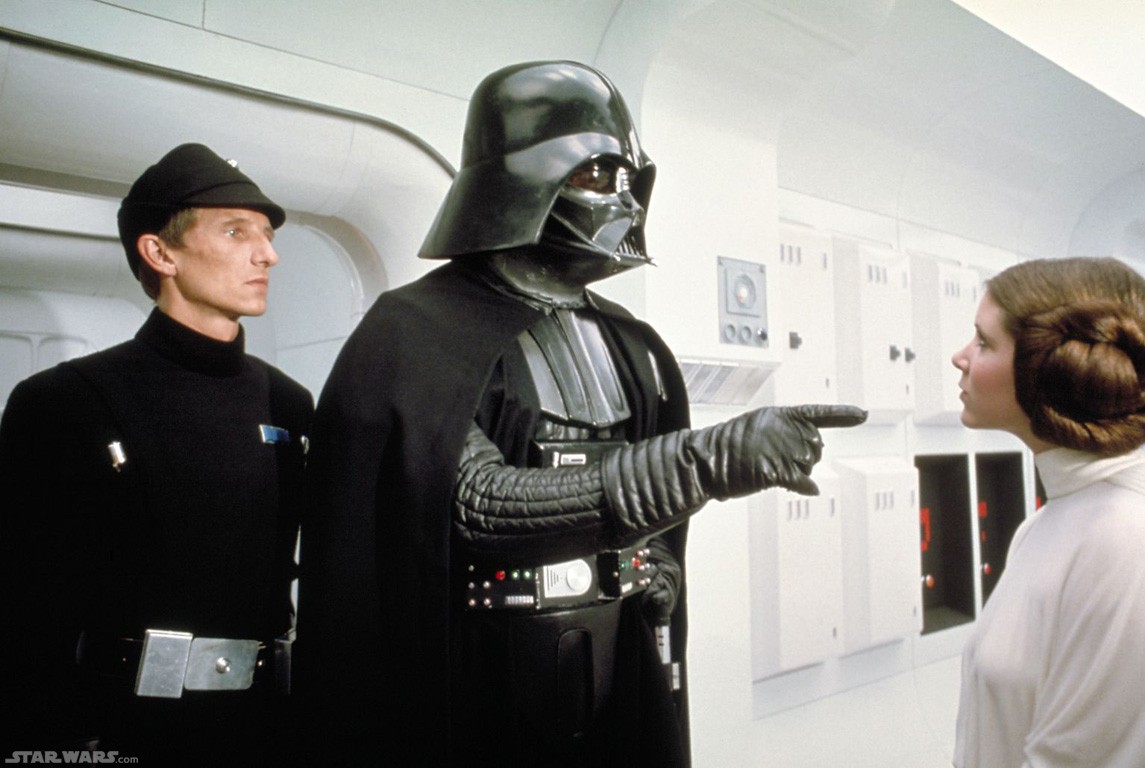
“And now, your highness, we will discuss the location of your hidden rebel base...” Darth Vader (James Earl Jones)
 For years I have been making handouts to go with my classes. One of the tricks I have employed to get objects like text boxes, shapes, pictures and the like to fall in line exactly where I wanted them is the ALT key. I would select the shape and move it by holding the ALT key down. I could then fit it just the way I needed it. This has worked forever, that is until I switched to Office 2007 where I have been without my trusty tool for some time. After a bit of searching I found the ALIGN button on the top right of the of the FORMAT tab. To make the change first double click any object. Anything will do as long as it brings up the FORMAT tab then click ALIGN. You should find it at the top right. After that click the last choice GRID SETTINGS. Lastly at the bottom set the SNAP OBJECTS TO GRID check box to off and then you’re all set. This is actually better than the old way of moving objects because you do not have to hold the ALT key anymore. However I should add that on some objects like photos you will still have to change the TEXT WRAPPING to tight, square, in front of text….It’s up to you to choose what you need. So if you can’t get a piece of clip art just the way you want it try the above.
Note: Finding a matching quote for this was a real pain so I settled on this. It has the word location in it...
Wednesday, August 04, 2010
“The Creator has not given you a longing to do that which you have no ability to do” Orison Swett Marden
 Recently I did a class on a website called Zoho. Zoho is a free/paid collection of fantastic online tools. Now I could go through them all and tell you that some of them rival Google Docs in their ease of use and shareability but that’s not why I write this. Microsoft Access is a database program. This means that you can create different forms and enter in data that will allow you to get reports and understand more about your info. OK now you know all that what is the problem? Access is a pain in the neck. I am a firm believer in the theory that both hardware and software should be as easy to use as it is powerful. Access can be a powerful tool but it is difficult for no reason. In place of this I recommend Zoho Creator. It uses a drag and drop design and is a simple part of the Zoho site that allows you to create forms for people to fill in. It has most of the power of access but very few of its drawbacks. Either create a form from scratch or use one of their templates. Need a way to keep track of books you are lending out from your home library? They have one made already that is easily customizable. Now the simplicity is great but what about other features? Any forms you create can be embedded on a website or blog in two seconds. You need to know when someone fills out the form? You can have an email sent out to notify you. Once the data is filled out it will be put into a Excel like spreadsheet for easy viewing but you can always export it in multitude of ways. So if you need to keep track of some info give Zoho a try.
Tuesday, April 13, 2010
"Outer space is no place for a person of breeding. "Lady Violet Bonham Carter

One of the questions I often get in the lab from people using the Microsoft Word 2007 is what is up with the strange spacing. First what is the problem? In 2007 when you type you will notice everything seems to look double spaced. If you try to force single spacing on what you have typed nothing will change. For many of us we are used to the old system where single spacing was the norm and if we wanted to change it we would. The fix is easy. At the top right on the home ribbon you will see a section called styles. The issue lies in the word normal. Normal is already selected. You would think means single spacing. Instead it is the new style with the strange double spacing feel. The answer is right next to it. Choose no spacing and everything will work like....well.....um....normal. I do this the moment I begin a new word document but you can always highlight text and choose this option as well. Hope this helps.
Wednesday, January 14, 2009
“Never try to teach a pig to sing; it wastes your time and it annoys the pig.” Robert Heinlein
 On the way in to work I was listening to a podcast that was talking about the Zune. The talk was about discontinuing the product. The reason was simple that other companies have done it better like Apple and Sandisk. They had one other point. They said that Microsoft is not cool. Now I know I am a Mac guy so take it for what it’s worth but they are an enterprise software company. Just because something isn’t cool doesn’t mean it isn’t good. They produce some very good work software (pre-2007) but it isn’t sexy and music tends to be. Work stuff is supposed to be functional and efficient and Microsoft can come close to this mark. You may be asking yourself why am I writing about this I mean the Zune is not on anyone’s radar at this point. Well Microsoft has tried again to be cool with a new product. I am sorry to say it has failed, at least the coolness factor. The product is OK (it works). It is called Songsmith. Essentially you sing into the microphone of your computer and Songsmith will record “cool” beats and rhythms behind it. You can adjust tempo and all that other stuff that I frankly don’t understand about music. I personally cannot play a note but I do know I what I like. This product does not make it on my top ten. Now I may be biased so what I would like is others to watch the promo video and tell me what you think. Please leave a comment or email. You can also download and test the software out yourself.
Note: I used a quote from Robert Heinlein. As a geek he is required reading but if you have not ever tried his books you are missing out. Try his book Starship Troopers. It is nothing like the movie meaning it is really good.
Monday, January 05, 2009
“I was probably the only revolutionary referred to as cute.”Abbie Hoffman
 I recently had to make a PDF for one of the class worksheets and I thought I would use Vista’s new PDF creator and see how it worked. Unfortunately it was an exercise of frustration and a real nuisance. So I went back to my old alternative CutePDF. Before I go on I should explain that a PDF is document formatted so it can be opened with the free program Adobe Acrobat Reader. Every government file like the 1040 tax form is in that format. It is easy to use and open for everyone who wants to read a PDF. Unfortunately the creation of a PDF can be a bit of a pain. Even though the standard has been around for years, Microsoft has been reluctant to give that ability. So CutePDF is there to bridge the gap. All you need to do is download it from the above link. Once you have gone through the installation process write your document in Microsoft Word and then instead of hitting save go to the print screen. Click at the top where you see your printer listed and choose CutePDF then hit print. It takes a second or two but a little window pops up and asks where you want to save it and under what name. Once done just hit OK and your PDF is created. The nice thing about a PDF is that when you send out something like a resume the setup does not change unlike a word document where it can be subject to their setup. Give it a try.
Tuesday, September 23, 2008
“Don't expect the typewriter to ever completely disappear.” Hal Fair
 I have received this question a few times and decided to share it.
People using Microsoft Office 2007 have reported that all their buttons have disappeared. This is easy to fix but annoying that you have to do it in the first place. Essentially the person has double clicked on the tabs like home row and others. I do this when it the program is slow or I am not paying attention. All the buttons like bold and font size collapse leaving just the tabs. To bring them back it is just a matter of double clicking on any of the tabs again. I understand why this is here but it just gets in the way. So when you are staring at Microsoft Word wondering what happened give this a try.
Tuesday, June 10, 2008
"I'm now a Doctor of Letters. Most of them Fs and Bs." Billy Connolly
 Just a quick shortcut today. Many times I am in the thick of my work and it takes a while for me to notice that I have just typed everything with caps lock on. So now all my words are capitalized. The easy fix is to highlight the problem text and then hold the CTRL and Shift keys and then press the letter A. This will drop it down to lower case. If I do it again it will return to upper case. It is quick and easy so why not give it a try.
 Tuesday, April 29, 2008
“The first rule, indeed by itself virtually a sufficient condition for good style, is to have something to say” Arthur Schopenhauer
 Every time I do a PowerPoint presentation I use the same old background templates. I decided it was high time I found something a bit more creative. Templateswise is a website devoted to templates for your presentations. Everyone is tagged for easy finding. They also have basic categories like business, nature, or travel. Once you find one just download it. It does need to be unzipped using a zip utility. Most of those are free. Once you extract your files you should have four files, three images and one that when clicked throws you right into PowerPoint. Now the unfortunate part is that it does not seem to add these new styles to your list of backgrounds but they are still easy to use. When the PowerPoint opens you will have three slides. All you have to do is copy and paste the slides as you go along. So if you want to make your presentation stand out give this one a try.
 Wednesday, January 30, 2008
“Orange is the happiest color.” Frank Sinatra
 When I teach Excel charts and graphs I spend a fair amount of time on the design work of a graph or a chart. Putting together a chart is easy but making it look good and appealing is very difficult. I always stress the importance of color which I find lacking in many instructional books. Color is always considered, in Excel, as an extra. As far as I am concerned this is insane! If you are creating a chart then you are most likely going to use it to convince someone of something like vote for my candidate or invest in your business. Choosing just any color can prove hazardous so I always mention the psychology of color. An example I always use is the color of the yield signs on highways are called safety yellow. That color is shown to make people nervous and anxious. If you use this in a chart to get someone to give money to your business you may have just screwed it up. You might as well use it to your advantage because it is already used in places like the grocery store to convince you to buy more or stay longer. I found three good sites that can give you an inkling of what color means. Give this one a try and see if it improves some of your work.
 Tuesday, January 22, 2008
“If you want things to stay as they are, things will have to change” Giuseppe Tomasi di Lampedusa
 OK Vista is here and with it comes the 2007 version of Office. To be truthful I am not a happy camper and I am telling some friends to use open source software instead. However the planet uses Microsoft Office products and it will be a while before it migrates to something else. One reason I am not a fan is not because it is an inconvenience to me but rather because I think this does not help new computer users. As an example: I use keyboard shortcuts constantly to speed up my work. If you not familiar with them, an example would be a combination of the CTRL (control key) and the letter B to make something bold. This is fast, easy and I have a handful memorized so I can cruise on quickly through my work. Many new users look at someone who is using these shortcuts as if they have memorized the entire machine when in fact it is written in all of the pull down menus waiting to be learned. The divide between new users and old users is not always too far away when the info is present for both groups. Unfortunately in the 2007 version they took all that away. Below is a quote from Microsoft.
 If you're still unconvinced and you just want your old shortcuts back, then rest assured: Most of them will still work. However, you'll need to know the full shortcut from memory. There are no on-screen reminders of what keys you need to press.
This means that a new user must look them up somewhere online or grab a book. This is unlikely. Now in defense of 2007 they do have a way to see something like a keyboard shortcut which is using the ALT key. The new shortcuts involve a series of keys rather than a quick combo. To understand more Microsoft has a site devoted to help you learn some of this stuff. A good portion of it is narrated so have speakers on. Give this a try to learn some of the new shortcuts.
As time goes on and my research continues I hope to show some quick fixes for the new system and highlight some of the good points about
Friday, November 30, 2007
“I wonder if illiterate people get the full effect of alphabet soup?'” Jerry Seinfeld
 So you have a database with many columns full info and now all you have to do to finish it is alphabetize. Thankfully your friend told you about these useful little buttons on the standard toolbar that look like an A to Z going up or down. You choose one of those buttons and suddenly TERROR! One column is organized and the others are not. Your database is ruined. Those two buttons have destroyed more peoples work then I can think of. Instead use the sort feature. First click in the data menu at the top and then click sort. Here is where real organizing of data can take place. Now if you have a heading row you will usually see one of the names here. However if not you will see column A. Either way choose the column you want to organize. You can choose if you want to organize by ascending or descending. The nice thing here is that you can select up to three separate areas to organize. As an example I organize a sheet will all my classes but I first sort it by date then by time. Using this way will sort all the data together. I should tell you that you may see a warning if you had selected one column or row ahead of time. You want to choose to expand the selection so it will affect the entire database. So when you have some alphabetizing to get done give this a try and stop listening to that friend.
 Thursday, November 29, 2007
“Brain cells create ideas. Stress kills brain cells. Stress is not a good idea.” Frederick Saunders
 A question I get a lot is how does one make a banner out of a bunch of cells across the screen. There is one button that makes this so easy that it is just a two step process. First highlight or select the cells or boxes that you want to make into a single cell then go to the formatting toolbar and choose Merge and Center. It is usually near the alignment buttons. It looks like a confused lower case a. Once you click this it will collapse all the selected cells into one. This can be done vertically and diagonally as well. Also if you had text in one of the boxes it will now be centered. Be careful if you have text in multiple boxes that you wish to merge. It will tell you cannot do it. Just choose a blank set of cells or cut and paste all there data out of there. If you to rearrange your space give this one a try.
 Wednesday, November 28, 2007
“We relax at the ranch, which if not heaven itself, probably has the same zip code.” Ronald Reagan
 Yesterday I received a letter addressed with a zip code that looked like this ‘02906. So what is the big deal you ask? Well the tiny little apostrophe tells me two things. Most likely this person used mail merge to print all the addresses on labels. The second thing is that they do not know about a nice formatting feature built into Excel. The problem with spreadsheet programs is that they do not understand the difference between a basic number and a zip code. So when you type in a zip it drops the zero. Confused? Let’s say you are payed $0100.00. We normally drop a zero on the left hand of a number that is not preceded by a number meaning we change $0100.00. to $100.00. Many people see this and add the apostrophe to stop it from changing. This solves the problem to a degree but every zip now has an extra symbol in it. The easy way to fix this is to highlight the data or a whole column of zip codes and then click on the format menu and choose cells. From the list of categories you should choose special. Once you do you will see zip code and zip code plus four. I usually choose just zip code and then hit OK. This will add in all the missing zeros. You can do this before or after you put them in. So if you are planning on keeping track of addresses in Excel give this one a try.
Tuesday, November 27, 2007
“I've been doing a lot of abstract painting lately, extremely abstract. No brush, no paint, no canvas, I just think about it.” Stephen Wright
 OK I am in Microsoft Word and I just bolded, underlined, italicized a sentence. Also I decided to change the color of the text and add some other formatting changes. Now that is all done I realize I missed a word from the sentence that I did not highlight earlier. Well I could redo all the formatting step by step for that one word or I could use a very simple tool called the format painter. When in Word or Excel I look on the standard toolbar for a small paint brush. Now if you do not see it refer to this earlier post to make the toolbar appear. What I have to do for this situation is highlight the text I changed already. It does not have to be the full sentence just a word will do. Then I click on the Format Painter button which will change my cursor to a little paintbrush. Finally I highlight or click on the words I want to change. I can hold down and drag as well. This will copy the format from one place to another. Anytime I set something up and want to apply it elsewhere I use format painter. Save yourself some time and give this one a try.
 Wednesday, November 14, 2007
“Genius is the ability to see things invisible, to manipulate things intangible, to paint things that have no features” Joseph Joubert
 Many times people come in to the labs here at Providence Public Library and they will ask for help on a resume they had created before. One of the first buttons I press is the Show/Hide button. This usually freaks people out the first time they are seeing it. Essentially it shows all the markers that are normally invisible on a page. The reason this is so helpful is because it lets us in on how and why text is where it is. An example is a page that has a whole bunch of indented information. A person will try to add more info but it keeps moving in an odd way maybe keeping all the spaces. By pressing Show/Hide it shows us an arrow and that means the tab key was pressed here. A little dot represents a space and strange symbol that looks like a top heavy T is a paragraph marker or that the enter key was pressed. Knowing this info allows us to pinpoint the problem and usually erase it. The Show/hide button is on the standard toolbar at the top. However if it is not showing up it could be that the button is hidden. Look at the toolbar and you will probably see in the middle a double arrow. If you are not sure just point to one button after another for its name. The one you are looking for is called toolbar options. Once found click it and then choose show buttons on two rows. This will separate the toolbars so you can see most of the tools. The Show/Hide button should be right next to the percentage of Zoom meaning it will say something like 100%. Finally click the button and see all the markers. To get rid of them click the button again. Give it a try.
 Tuesday, November 06, 2007
“Do not call for black power or green power. Call for brain power.” Barbara Jordan
 When Microsoft screws up I am one of the first to start throwing things however when they get it right I hope I am among the first to congratulate them. Recently MSN went green. They have made a big push in the right direction for the environment. Their new site is filled with info about how to green up, along with political info of all kinds. They have quizzes and calculators to determine your impact on the planet. Also the pairing up with sites like Grist and Conservation International really help their credibility. Pledges are available so that you can take a stand on all sorts of small things like lowering thermostats and such. You may not agree with the cause of global warming or even if it is happening but when I get into a car I still put on my seatbelt even though I do not believe there is major chance I will get into an accident. An ounce of prevention is worth a pound of cure. Give it a try.
Thursday, October 18, 2007
“The greatest magnifying glasses in the world are a man's own eyes when they look upon his own person” Alexander Pope

If you have used Microsoft Publisher you know it can be a pain to change between the large view and close-up. You could use the Zoom selection at the top and keep changing it between 100% and whatever percentage that will fit your project. This takes time and can be tedious if you forget the best percentage. Instead click on the item you want to zoom in on. Then hit the F9 button on the top of your keyboard. This will switch you between a close-up and, if you hit it again, an overall view. This does not seem like it will save you anytime but just give it a try and see if it helps.
Wednesday, October 10, 2007
"Mutation: it is the key to our evolution." Professor Xavier founder of the X-Men

I wanted to add to yesterdays post. I posted about changing the format of the document type when you save you r documents. I started wondering if there is another way. What I mean is that I will forget to change the format and do it haphazardly. So there must be a way to make this easier and there is. Open up Word 2007 and go to the save as area. Once there click on the Tools button at the bottom and click on saving options. Once there you can change the preferences for saving all the time. Change from Word Document to saving in Word 97-2003 document. The click OK and from now on it will always do this. I am unsure if I would recommend this a year and half later but for today I want to make my word processing experience easier. Give it a try.
Tuesday, October 09, 2007
“Anything that is unexpected is the X-factor.” Dante Hall

To save or not to save is not really the question when it comes to Microsoft Office 2007. The real question is how should I save? The problem is that the newest version of Office has a new format when it saves. It used to save a resume, lets say, in .DOC format. Now it is automatically saved in .DOCX so that it can use the XML technology. Now I am sure it does add more functionality to your resume, like tags, but the problem is that older versions cannot open up the new format. Meaning, if you send your resume.docx to me and I have a perfectly good version of Office 2002 then I cannot open it. This is causing problems within offices where they have updated some machines and not others. The fix is an easy one. When you save as make sure you change the type to save as Word 97-2003 document. This will make it easy to communicate with
Subscribe to:
Posts (Atom)